
 Ready to Use
Already out in the field, doing its job every day.
Ready to Use
Already out in the field, doing its job every day.
Ready to Use
Already out in the field, doing its job every day.
Ready to Use
Already out in the field, doing its job every day.
Short walkthroughs of GageEye setup and everyday use, from mounting the camera to reading the first gage. New videos are added as they become available.
An early recorded presentation of GageEye V4, covering the reading-accuracy and calibration-throughput problem the product was built to solve.
Watch on YouTube to see more GageEye videos.
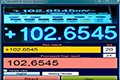
The first customer challenge: fast-changing readings across four reference multimeters (Fluke 8846A, Agilent 3458A, Heidenhain digital indicator calibrator, Keysight 34401A) - GageEye kept up with every change.
Watch on YouTube to see more GageEye videos.
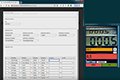
A live Fluke 87 DC voltage calibration reading, captured by GageEye and transferred directly into Metquay - no manual transcription in between.
Watch on YouTube to see more GageEye videos.
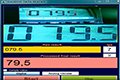
Another challenge set: low light, tilted framing, low contrast - GageEye read them all accurately. Assets: a custom 3¾-digit multimeter and a Fluke 6100 Electrical Power Quality Calibrator.
Watch on YouTube to see more GageEye videos.
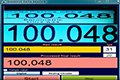
Customer-submitted videos shot very close to the display, causing a fisheye effect - GageEye read them accurately regardless. Assets: Additel 761 Automated Pressure Calibrator, Druck PACE5000 Modular Pressure Controller.
Watch on YouTube to see more GageEye videos.
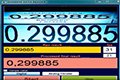
A retake of the Druck PACE5000 Modular Pressure Controller reading test, re-shot for a cleaner capture.
Watch on YouTube to see more GageEye videos.
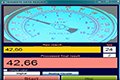
An early proof of concept showing GageEye reading both digital and analog displays and registering the final value automatically, without manual transcription.
Watch on YouTube to see more GageEye videos.
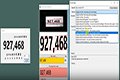
GageEye V8, the current Data Reader interface, tracks a fast-changing sample data stream in real time, driven entirely through GageEye's own RestAPI - shown here climbing from 4 updates per second to 100, with GageEye keeping up at its current maximum of 60 frames a second.
Watch on YouTube to see more GageEye videos.
See GageEye's channel playlist on YouTube.